

Conjuring up a website out of thin air can feel like a struggle and I’ve tried to get around this problem with my example website. It’s pages are composed of sections that can be combined to create a website layout, ready to be fleshed out with text and images. But there’s still a fair amount of decision making involved: what pages are needed, what sections should I choose and what type of information should I include?
I’m not a huge fan of AI, but it’s impossible to ignore, and I’m wondering whether I should consider using it as an initial step to my process.
This isn’t a tutorial, or a review of the products I’ve looked at; I just want to experiment and get a feel for their potential usefulness.
The plan is to use AI to create the layout of a fictional chess club, and then see how I might take this forward using my usual methods. I’m not really looking for a finished design; I just want to generate some ideas about the possible structure and content of the proposed site.
Figma
I created a free account at https://www.figma.com/
Logging into this account gave me a screen with an input box at the top labelled “Describe your idea and make it come to life [AI]”.
My first attempt was a bit of a false start as Figma assumed I wanted an online community, so I tried again with the following prompt:
A website for a chess club for amateur players to make friends, play chess games and take part in tournaments. I don't want this to be for online games. It's a real life club where people meet in a physical location.Then I clicked the button saying “Make it” and waited for some time as Figma appeared to be thinking about the problem. It’s “reasoning” appeared in a column on the left hand side. It told me what it intended to do:
I'll create a website for a chess club that meets in person, focusing on community, events, and tournaments. This will have multiple pages including home, events, membership, gallery, and contact sections.And when it had finished thinking this is what it claimed it had done:
Perfect! I've created a complete website for the Knights & Pawns Chess Club - a physical location where amateur players meet to play chess, make friends, and participate in tournaments. The site features a clean, professional design with:

Pages created:

    Home: Hero section, club benefits, about section, weekly schedule, and call-to-action
    Events: Upcoming tournaments and workshops, plus recurring events calendar
    Membership: Three membership tiers with pricing, benefits overview, trial session info, and FAQs
    Gallery: Photo gallery showcasing club activities, member testimonials, and statistics
    Contact: Complete contact information, message form, location details, and directions

The website emphasizes the in-person, community-focused nature of the club with regular meetups on Wednesdays and Saturdays, tournaments for all skill levels, and a welcoming atmosphere for amateur players.

Possible next steps:

    Add a news/blog section for club announcements and game recaps
    Create member profiles or spotlight section
    Add a chess resources/learning page with strategy tips
At the bottom of the left hand column was an input box labelled “Ask for changes”. I didn’t think this was necessary for the sake of this exercise… and besides I had used up my daily AI credits as I was using a free plan.
The website appeared to the right of this column and I could also choose to view it in full screen mode, with working navigation. All the pages were fully populated with example text and images (although the hero image did appear to be more like a game of draughts than chess!).
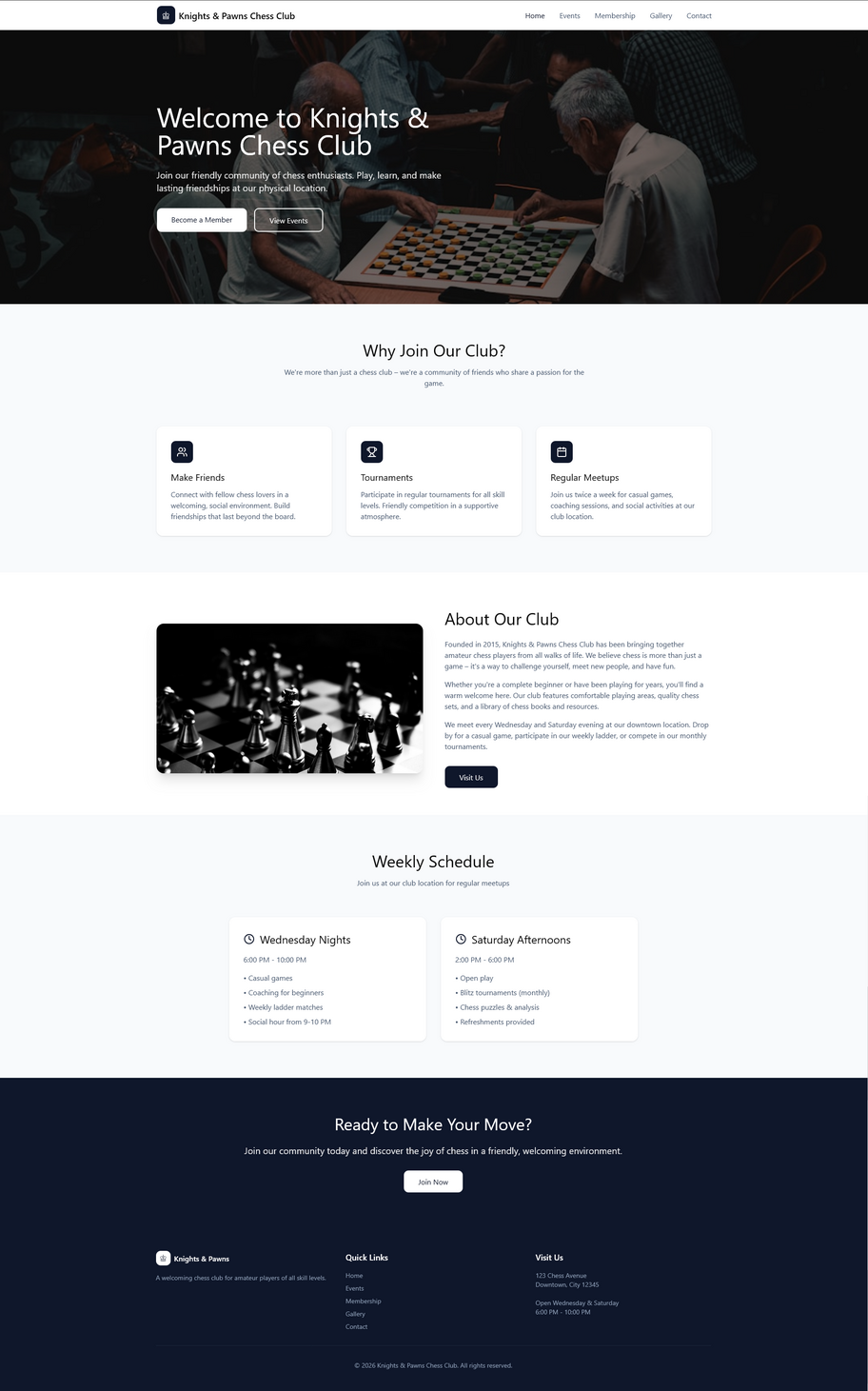
The design isn’t terribly exciting but I think this could be a good starting point and sections could be added, removed, redesigned or rearranged as required. Obviously, all text and images would need to be replaced, or at least reworded.
Relume
The first 10 minutes or so of WPTuts YouTube video “Build & Prototype WordPress Websites FAST with This Process” gives a good introduction to Relume. In the video, Paul uses a paid plan, but I have used the free version just to get an idea of what the service can do.
I input the same prompt that I’d used for the Figma experiment and the first thing that was created was a sitemap. I could choose to export this in various formats, including a text file, and a CSV file (for use with Excel).
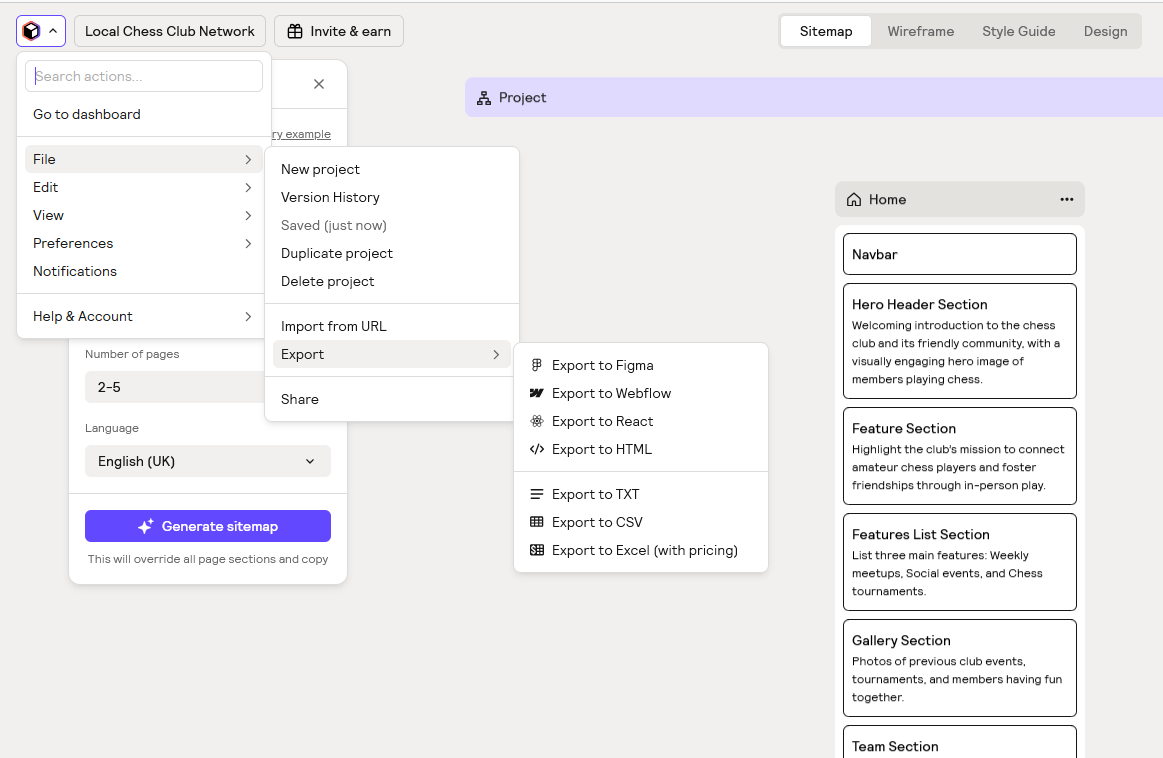
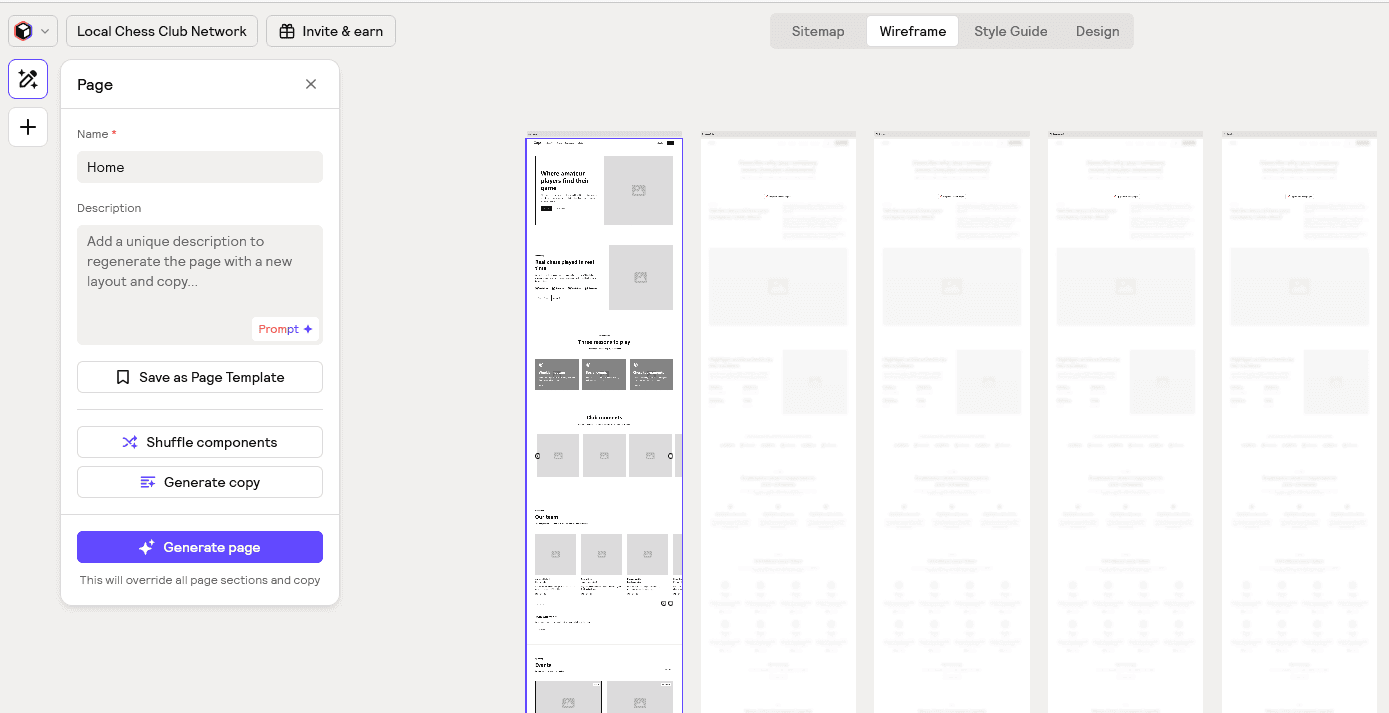
The free plan I was using generates a wireframe for just one page.
The next stage was the Style Guide which added images and text to the homepage and enabled me to try out different colour schemes etc. (see the video mentioned above to see this in action).
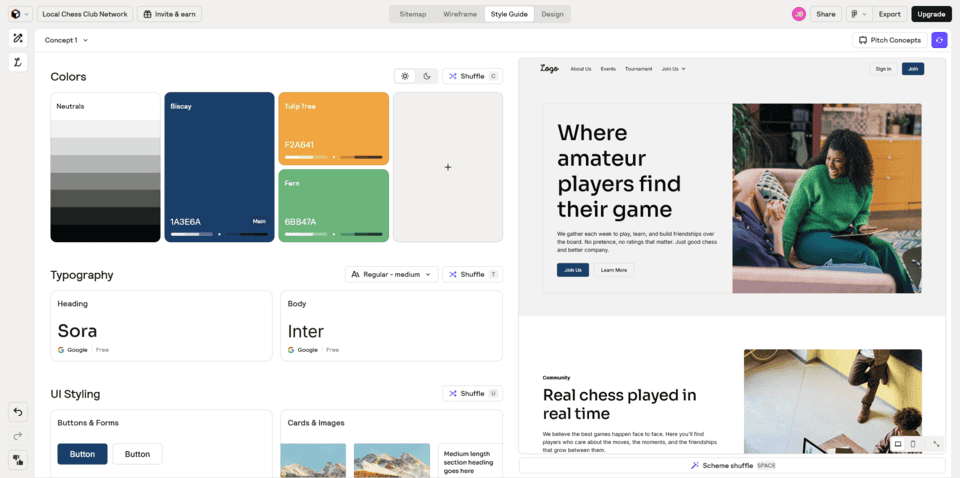
In the bottom right hand corner of this screen was an “expand preview” button which gave a full screen view of the prototype homepage.
Unlike Figma, the AI generated images were not chess related and, although the text was about chess, it seemed quite cheesy. But then I’d have replaced all the AI content anyway. The overall look was clean and slick, but felt a bit corporate.
How I Might Use This
Originally, I’d been thinking that I might use a tool such as Figma or Relume to come up with a website design and then recreate it in WordPress using the sections from my example website. But now, I’m not so sure.
I think there may be some value in using AI to suggest what sort of content a website could include, but then I’d probably just follow the process described in my blog post about the example website. That would look something like this…
When I exported Relume’s sitemap to a text file, it suggested the following sections for the homepage:
Hero Header Section
“Welcoming introduction to the chess club and its friendly community, with a visually engaging hero image of members playing chess.”
The challenge here would be to find an appropriate image of actual members of the club. I wouldn’t want to either use a stock photo featuring models, or show AI generated people. For this exercise, I am going to have to go with a stock photo (as the club doesn’t actually exist!) and I will use one without people. I could pick a hero section from any of my example website’s pages and would need to consider how the image and text would work together.
I decided to go with the hero image from Layout 1 of my example website and imported the corresponding pattern.
Feature Section
“Highlight the club’s mission to connect amateur chess players and foster friendships through in-person play.”
Here I’ve used a pattern based on Layout 3 of my example website with a photo rather than an illustration.
Features List Section
“List three main features: Weekly meetups, Social events, and Chess tournaments.”
The actual features highlighted here would vary depending on the club’s activities, but these suggestions might help. I’ve used the pattern with leaf icons from Layout 1 of my example website and removed the block above the icons.
Gallery Section
“Photos of previous club events, tournaments, and members having fun together.”
I’ll often use the Meow Gallery plugin, but here I’ve just added the core WordPress Gallery block.
Team Section
“Brief introduction of club organizers and key members.”
For a club like this, I probably wouldn’t have a team section on the homepage. If I wanted to include a section like this on the About page, I could use a pattern from the About page of my example website, or the boxes with shell photos on Layout 2.
Events List Section
“Showcase upcoming in-person chess events and tournaments.”
I’ve done this as more of a news section, with latest posts from the blog, using the Latest News section from Layout 2 of my example website. I’ve given the featured images a square aspect ratio here.
Testimonial Section
“Quotes from members about their positive experiences with the club.”
I used the testimonial pattern from Layout 3 but put several of these inside a carousel created using the Carousel Slider Block plugin. I decided to move this section above the latest posts section mentioned above.
CTA Section
“Encourage visitors to join the club or attend the next meetup with a prominent call-to-action.”
This uses the pattern with a photo of horses from Layout 7 of my example website.
FAQ Section
“Frequently asked questions about membership, meeting times, and event participation.”
I decided this should go on its own page, rather than on the homepage.
Contact Section
“General contact information for the club and location details.”
This certainly could go on the homepage, but I have left it off and created a contact page instead.
The Result
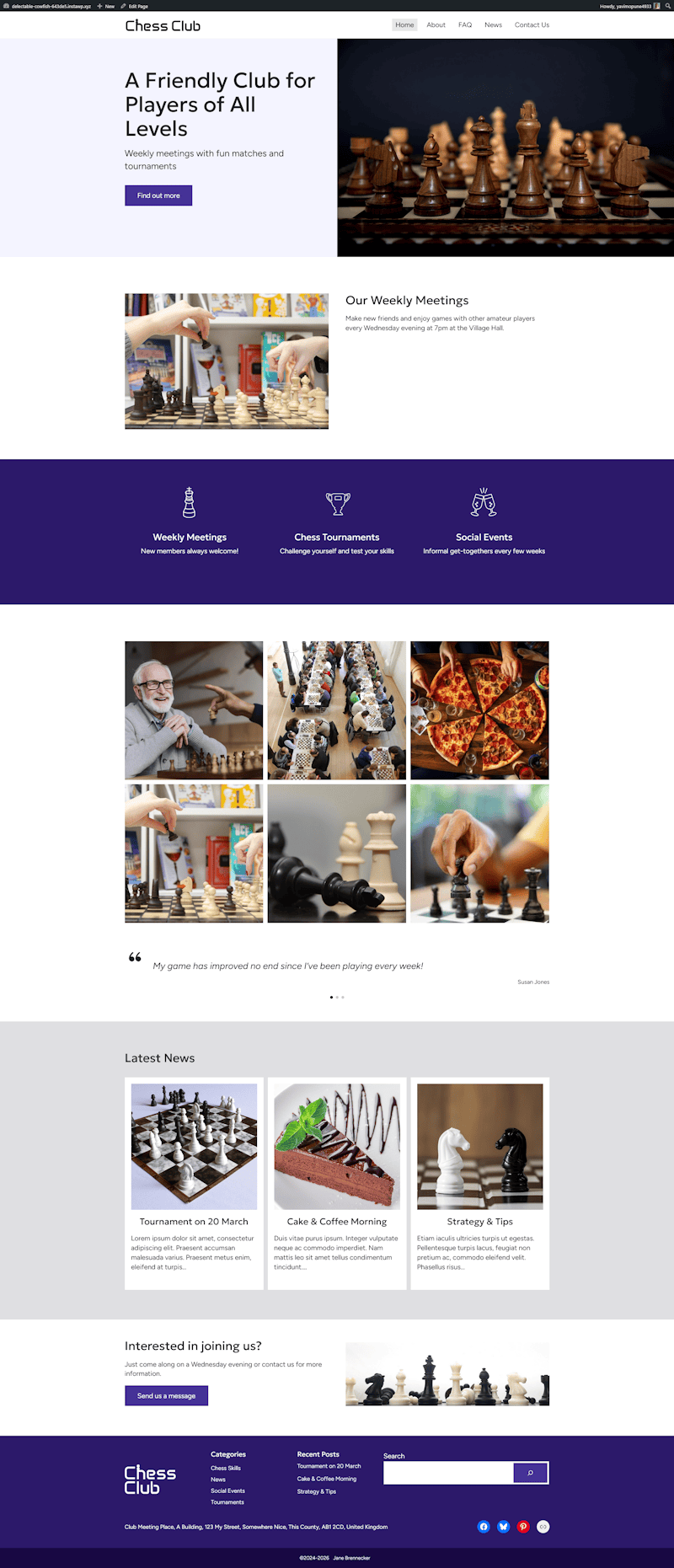
I’m not sure how much using AI helped compared with just picking sections from my example website and arranging them to suit. But I think it may have helped get the ball rolling and given me a starting point that could be customised as required.